Installation
You need BlueStacks 5
SW Bot runs in this emulator. The settings to check are below.
BlueStacks 5
Instance
- Android version: Nougat 32-bit or Nougat 64-bit
Performance
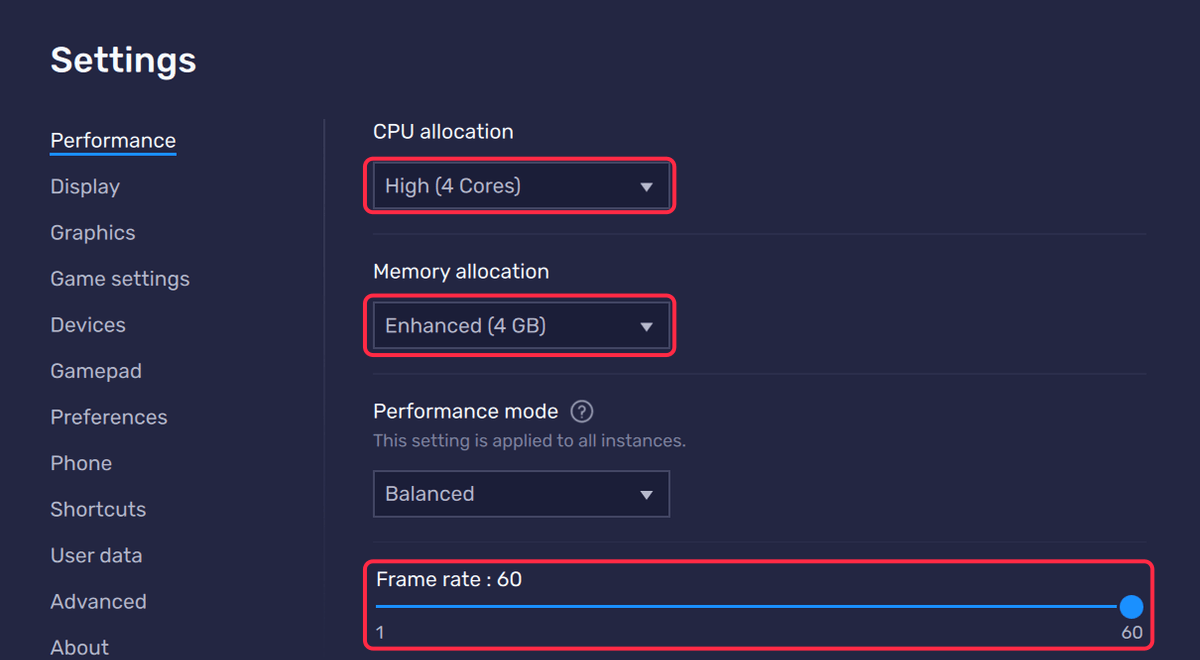
- CPU allocation: High (for faster response)
- Memory allocation: Enhanced (4 GB)
- Frame rate: 30+
Display
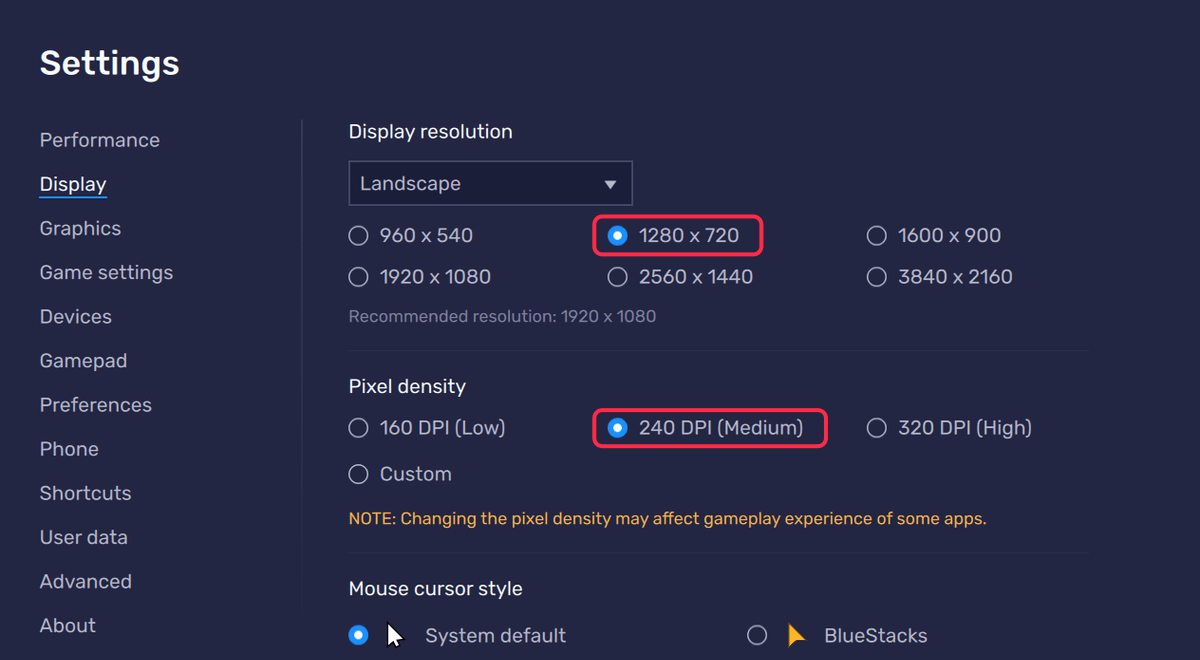
- Display resolution: Landscape 1280 × 720
- Pixel density: 240 DPI (Medium)
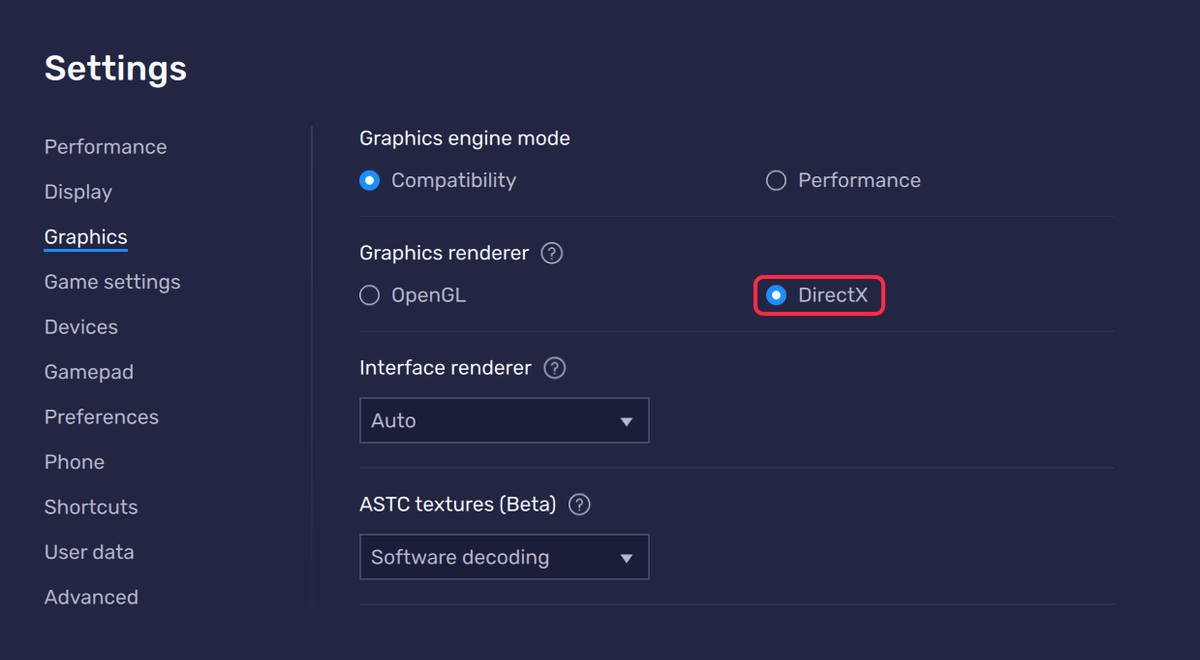
Graphics
- Graphics engine mode: any
- Graphics renderer: DirectX (avoids RAM leaks and screen freezing)
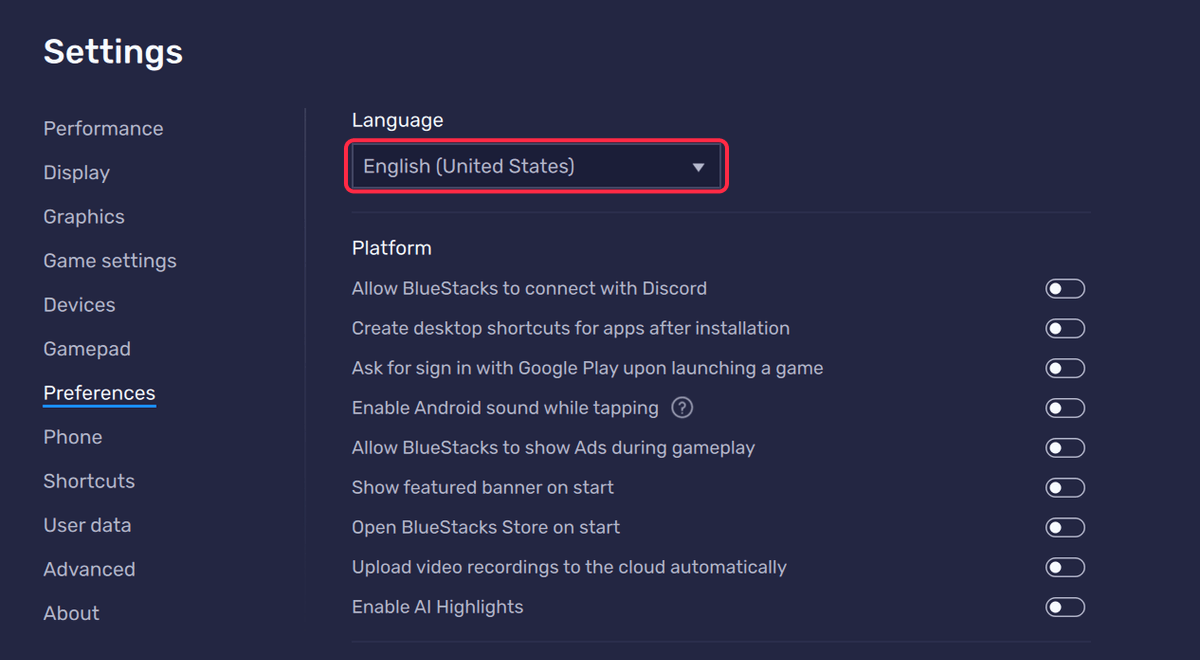
Preferences
- Language: English (United States)
- Platform: all optional
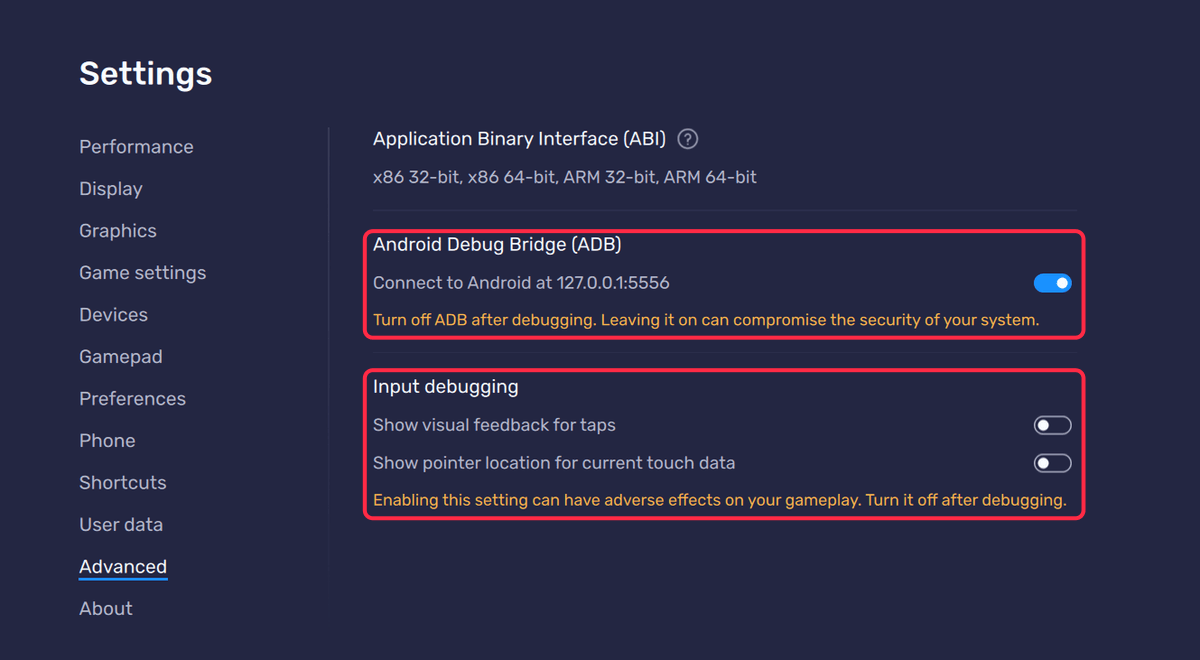
Advanced
- Android Debug Bridge (ADB): enabled
- Input debugging: all disabled
Game (Summoners War)
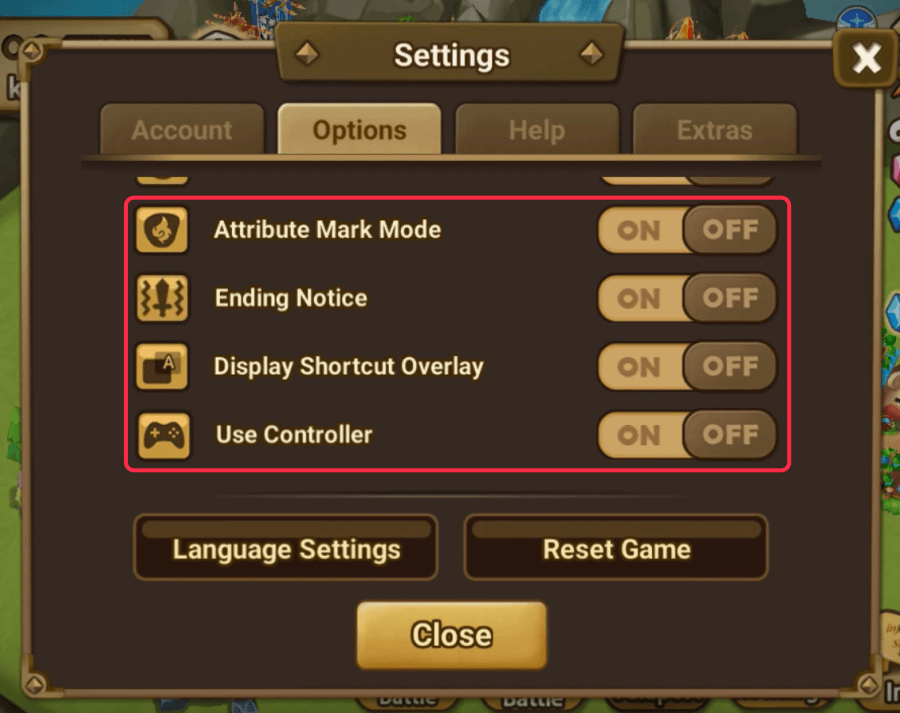
Options
- Everything OFF
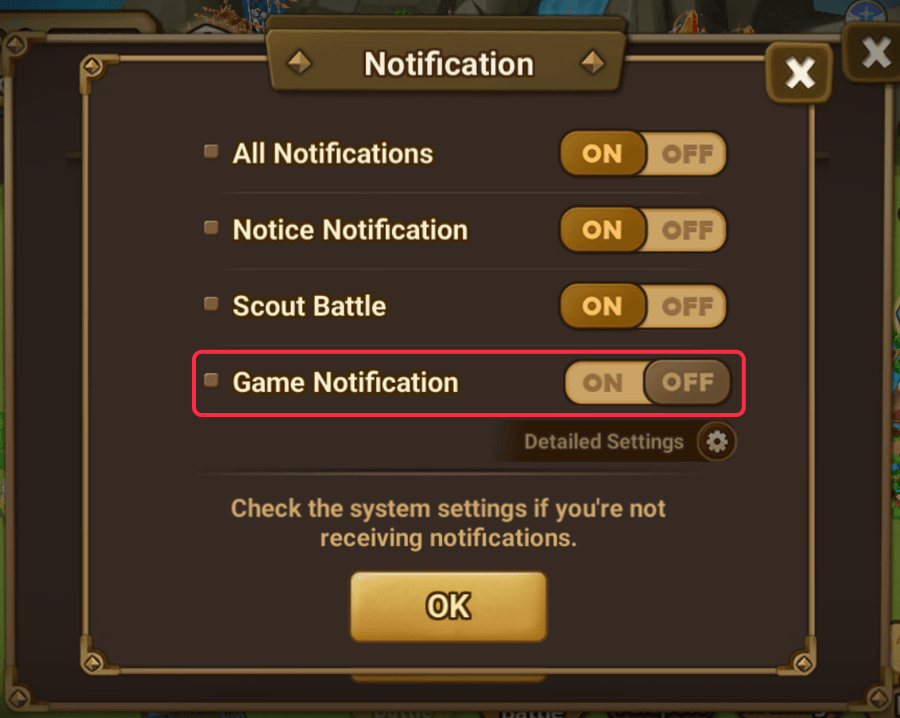
- Push Notifications → Game Notification: OFF
Language Settings
- Language: English (required)
Step by step
Configure the emulator
Open Settings from the menu in the top bar and set Performance, Display, Graphics, Preferences and Advanced as listed in the checklist above. Save the changes and restart the emulator.

Install and configure the game
Install Summoners War from Google Play. In the game open Settings → Options and turn everything off, including Game Notification under Push Notifications. Then pick English in Language Settings.