インストール
BlueStacks 5が必要です
SW Botはこのエミュレーターで動作します。確認する設定は以下のとおりです。
BlueStacks 5
Instance
- Androidバージョン:Nougat 32-bit または Nougat 64-bit
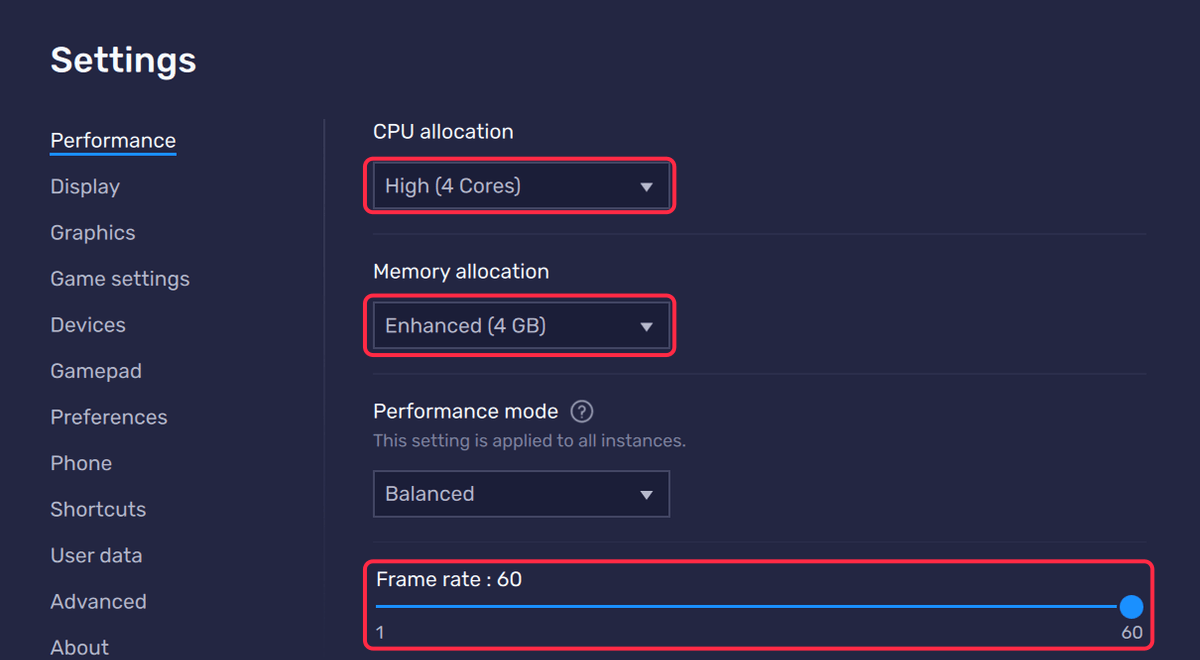
Performance
- CPU allocation:High(反応を速くするため)
- Memory allocation:Enhanced (4 GB)
- Frame rate:30+
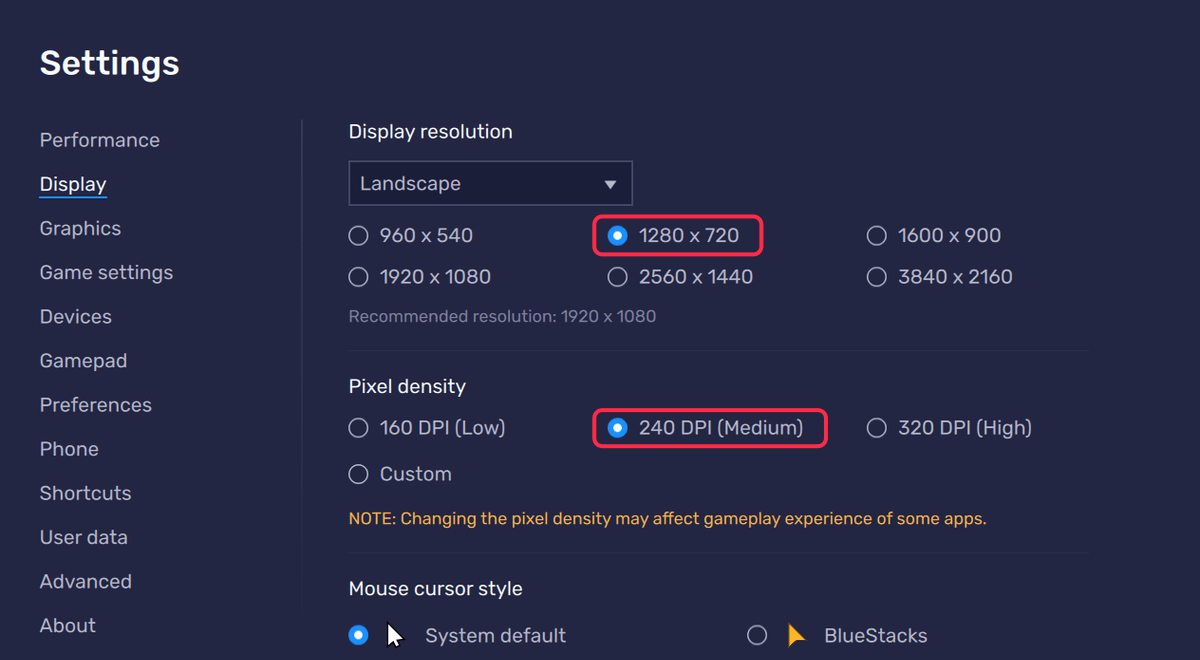
Display
- Display resolution:Landscape 1280 × 720
- Pixel density:240 DPI (Medium)
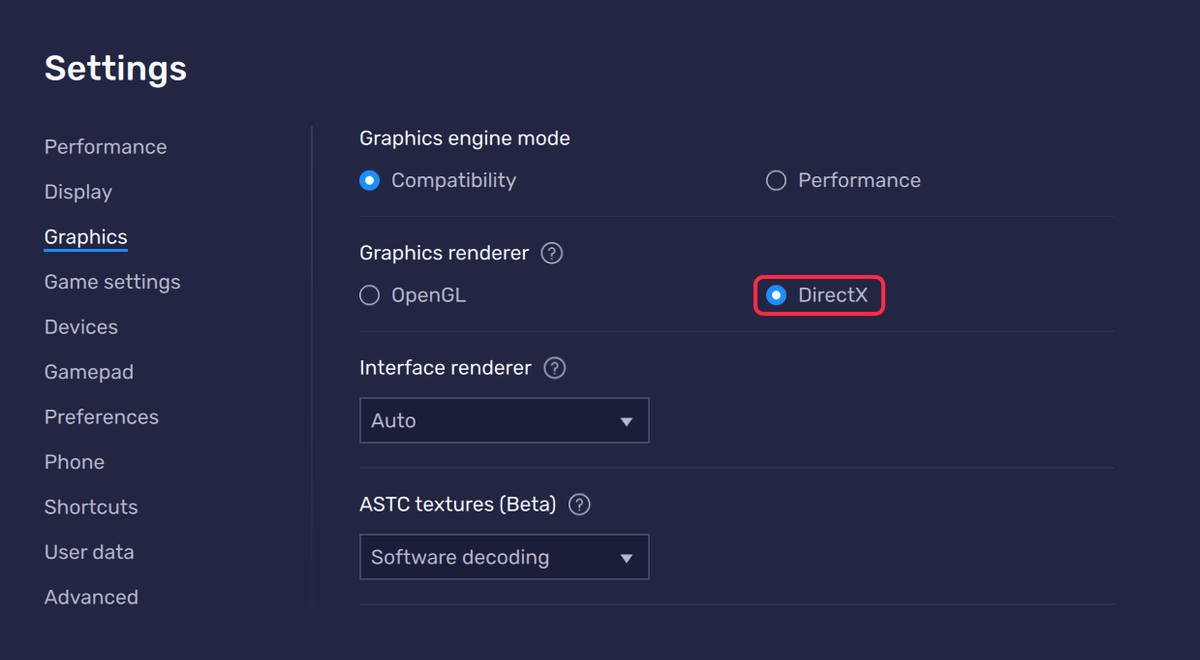
Graphics
- Graphics engine mode:どれでも可
- Graphics renderer:DirectX(RAMリークと画面フリーズを防ぐため)
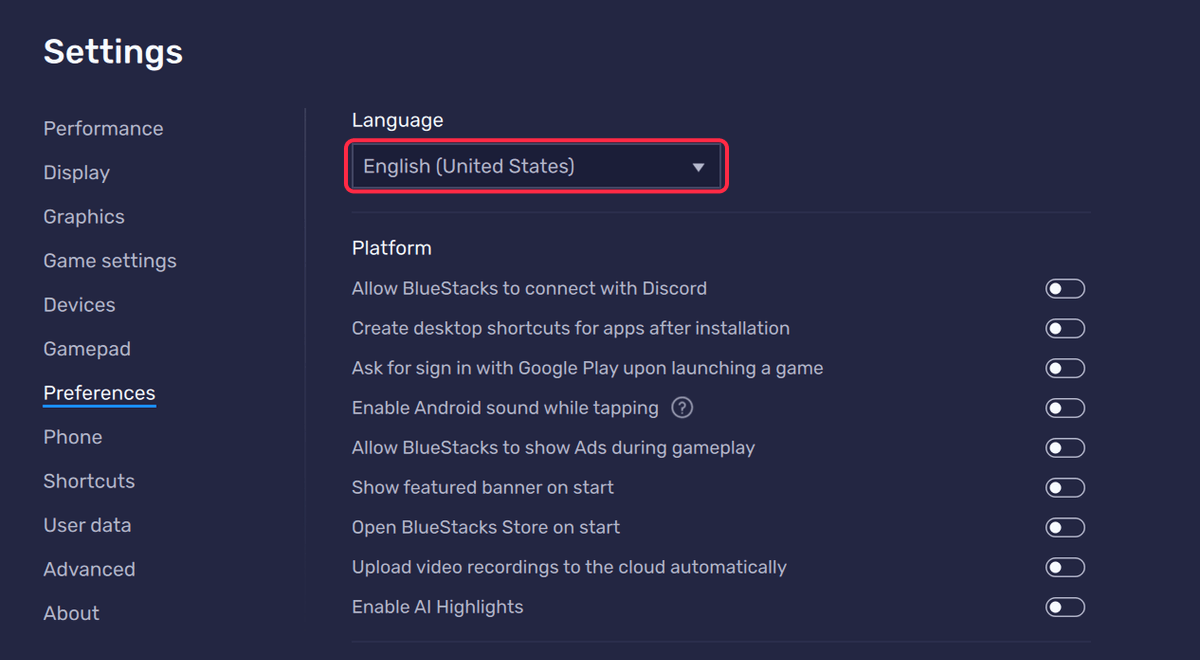
Preferences
- Language:English (United States)
- Platform:すべて任意
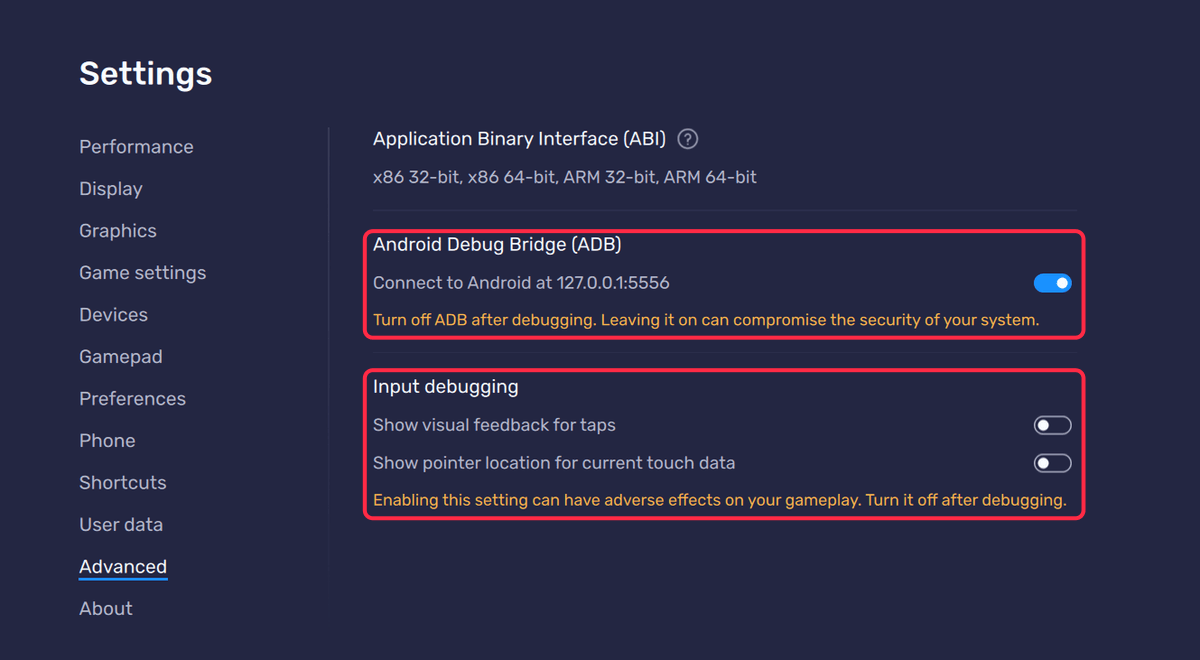
Advanced
- Android Debug Bridge(ADB):有効
- Input debugging:すべて無効
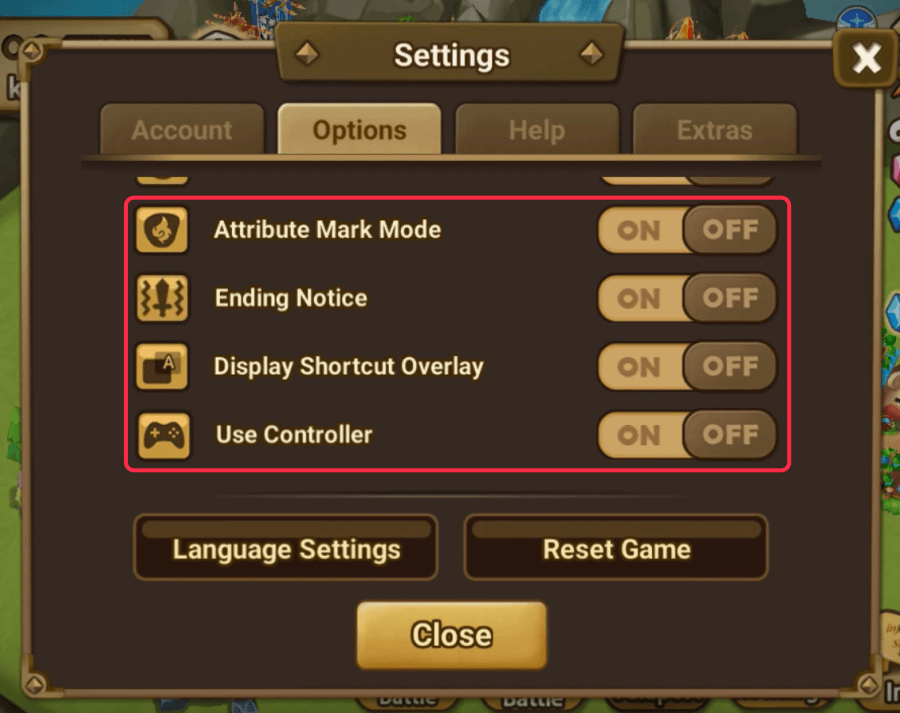
ゲーム(Summoners War)
Options
- すべてOFF
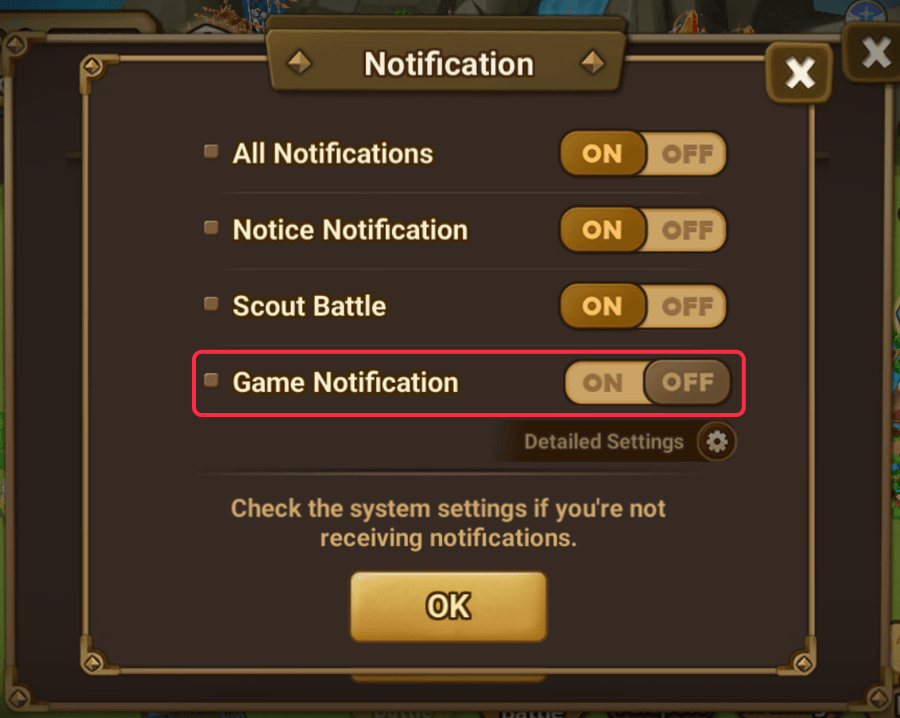
- Push Notifications → Game Notification:OFF
Language Settings
- 言語:English(必須)
手順
エミュレーターを設定
上部バーのメニューから Settings を開き、Performance、Display、Graphics、Preferences、Advanced を上のチェックリストのとおりに設定します。変更を保存してエミュレーターを再起動してください。

ゲームをインストールして設定
Google PlayからSummoners Warをインストールします。ゲーム内の Settings → Options で、Push Notifications の Game Notification を含めすべてOFFにし、Language Settings で English を選びます。