설치
BlueStacks 5가 필요합니다
SW Bot은 이 에뮬레이터에서 작동합니다. 확인할 설정은 아래에 있습니다.
BlueStacks 5
Instance
- Android 버전: Nougat 32-bit 또는 Nougat 64-bit
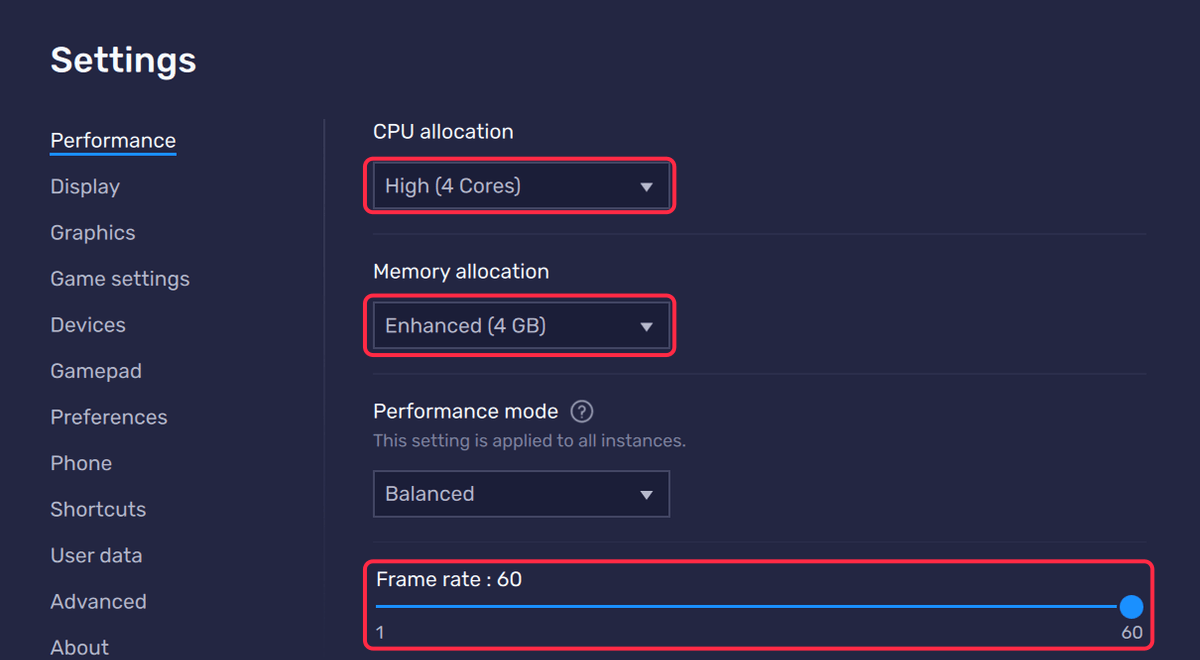
Performance
- CPU allocation: High (더 빠른 반응)
- Memory allocation: Enhanced (4 GB)
- Frame rate: 30+
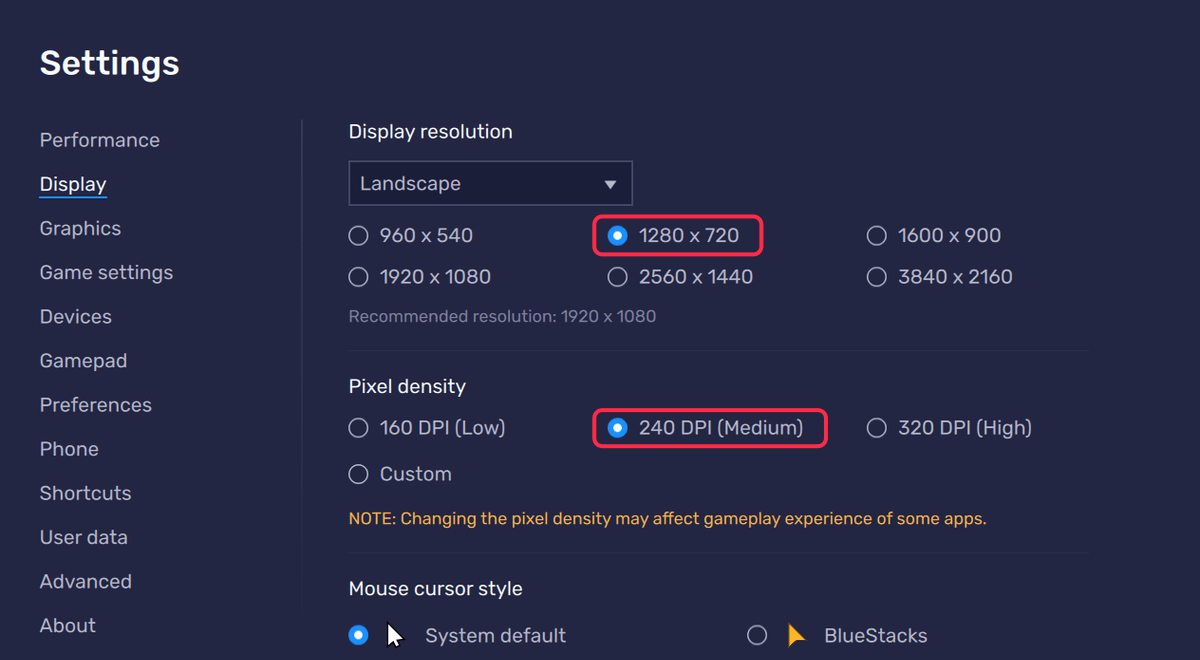
Display
- Display resolution: Landscape 1280 × 720
- Pixel density: 240 DPI (Medium)
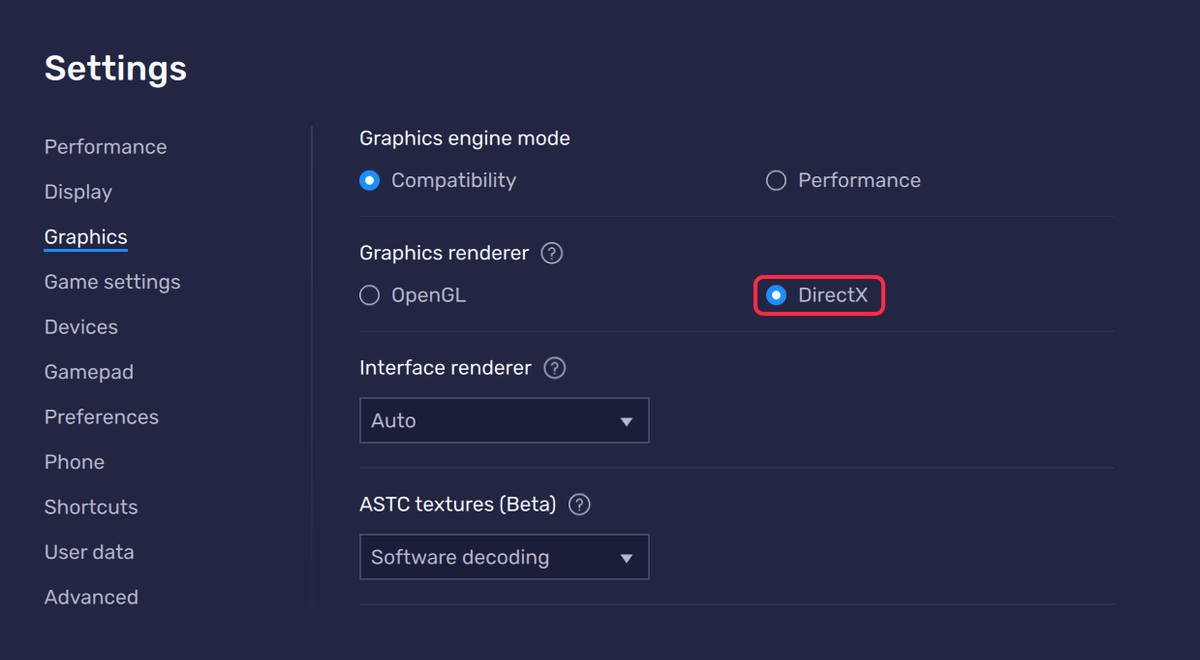
Graphics
- Graphics engine mode: 아무거나
- Graphics renderer: DirectX (RAM 누수와 화면 멈춤 방지)
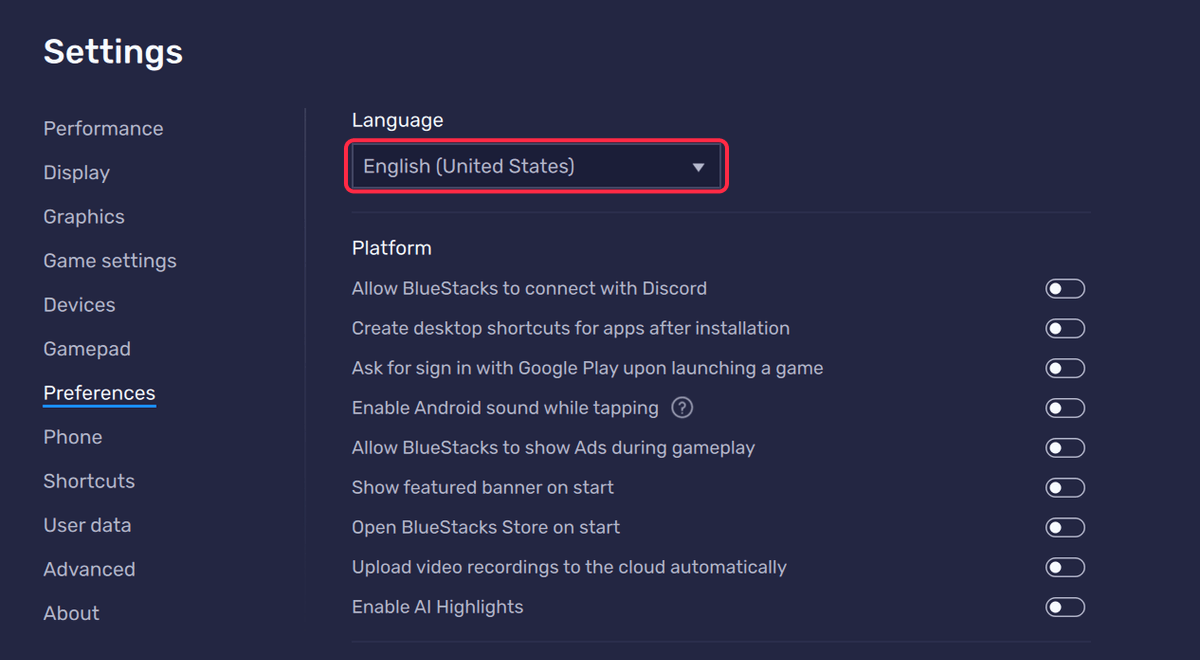
Preferences
- Language: English (United States)
- Platform: 모두 선택 사항
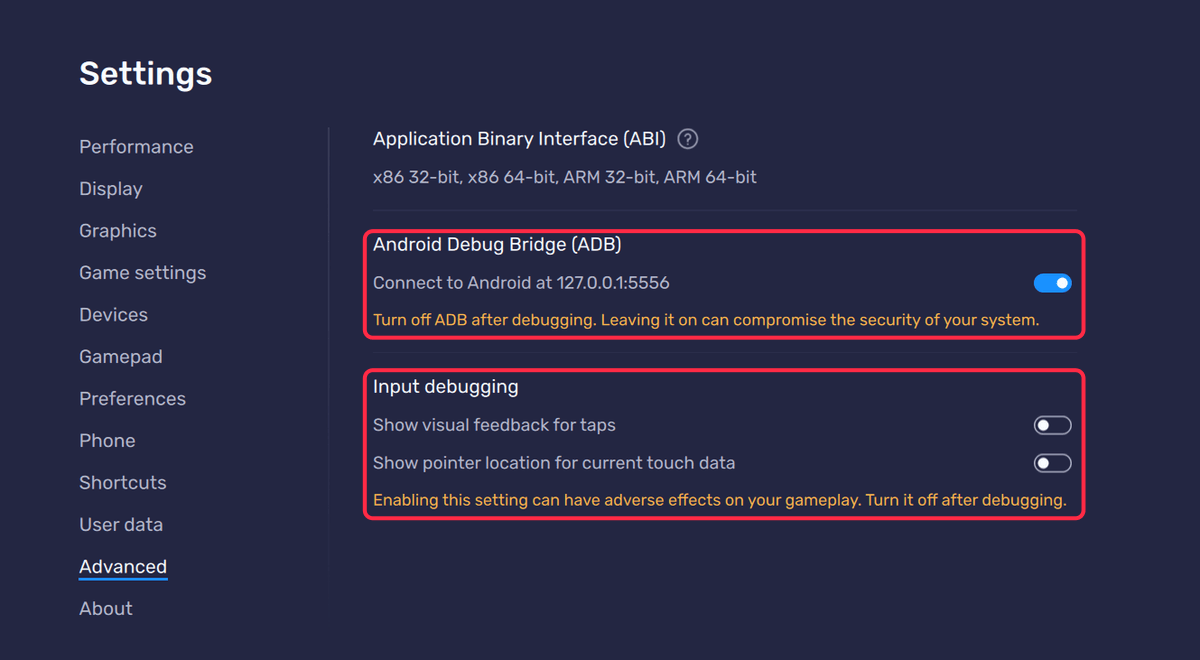
Advanced
- Android Debug Bridge(ADB): 활성화
- Input debugging: 모두 비활성화
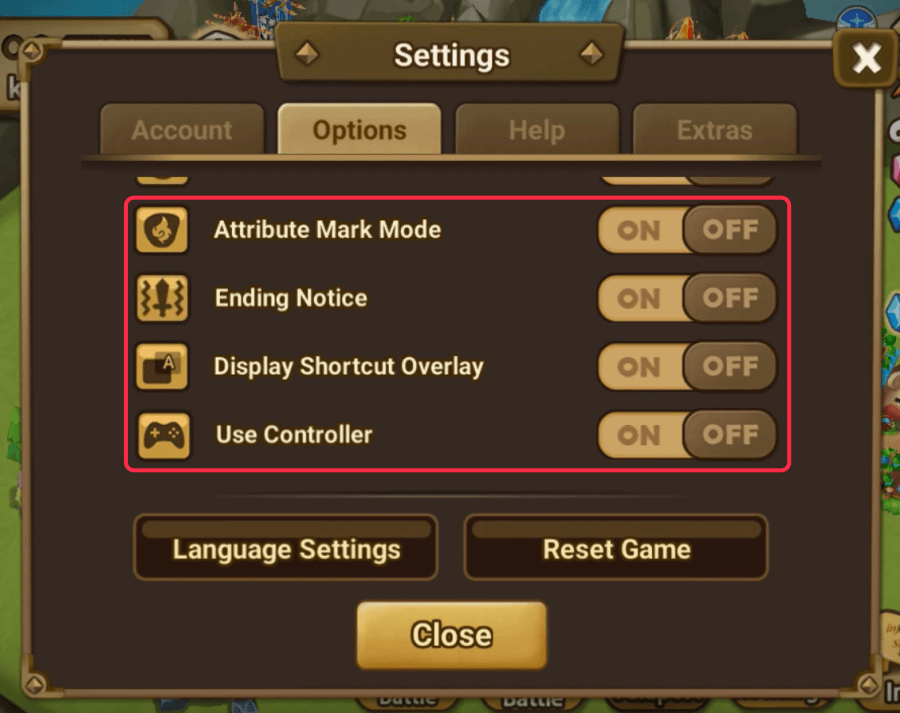
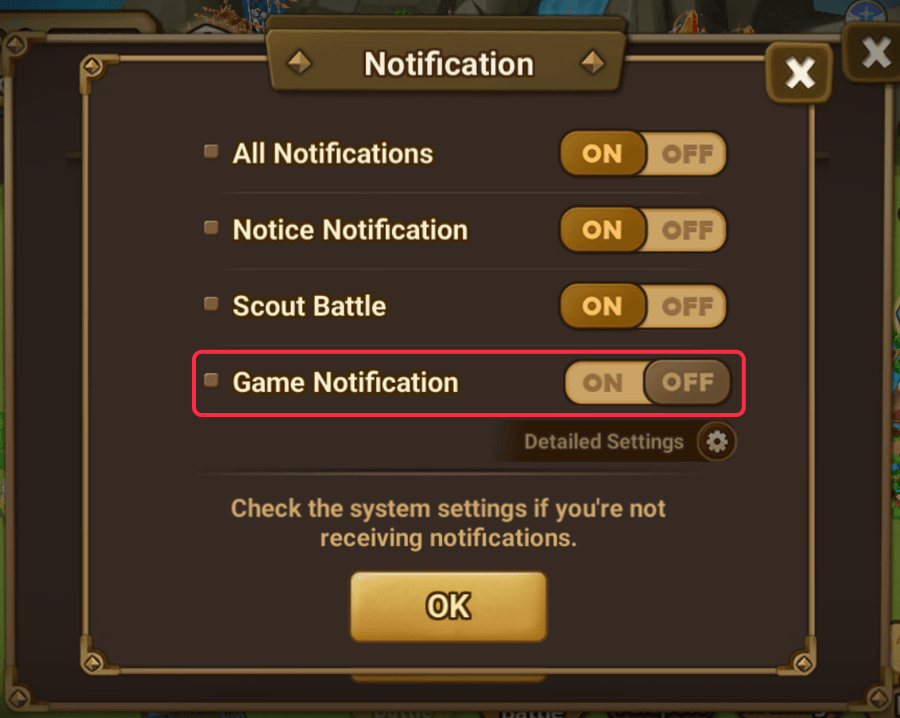
게임 (Summoners War)
Options
- 모두 OFF
- Push Notifications → Game Notification: OFF
Language Settings
- 언어: English (필수)
단계별 안내
에뮬레이터 설정
상단 바의 메뉴에서 Settings를 열고 Performance, Display, Graphics, Preferences, Advanced를 위 체크리스트대로 설정합니다. 변경 사항을 저장하고 에뮬레이터를 다시 시작하세요.

게임 설치 및 설정
Google Play에서 Summoners War를 설치합니다. 게임의 Settings → Options에서 Push Notifications의 Game Notification을 포함해 모두 OFF로 하고, Language Settings에서 English를 선택합니다.